Introduction
We’ve entered week 3 of our MLH fellowship, and honestly, this was the best week yet since we finally got to contribute to our projects. Our pod leader told us that midway through the program, we’ll have to demo our work to our Apache Airflow mentors, their managers, and folks from RBC, since RBC is the sponsor of my MLH Fellowship project, Apache Airflow. I’m kinda excited for that, and the goal is to contribute to a decent number of issues by then.
Since this is our first time working with the Airflow codebase, my podmates and I picked easier issues to start with. The issue assigned to me was to improve debug logging for the HTTP Provider, reviewing the provider code and adding any extra debug logs that could help users troubleshoot more effectively.
Navigating the Codebase and Learning the Product
My first step was to actually use the HTTP Adapter to understand how it works. What logs does it currently show, and what debug info would be useful for users? Since I’d never used Airflow before, I figured it would be smart to learn the basics first. Luckily, RBC provides free access to Udemy, so I enrolled in an Airflow course and watched a couple of intro videos to get familiar with what Airflow is, its components, and how it functions.
We have an assignment due tomorrow for MLH where we have to submit a Word document summarizing everything we’ve learned about the project. So everything I mentioned above is in that doc. Here’s the link if you want to check it out:
https://docs.google.com/document/d/1msRGBEMbQbxIAAqoIGNYoklxv2vu3xbZ7d3sgZQbn-Y/edit?usp=sharing
It took me quite a while to understand the codebase related to my issue, especially the structure and how the different components interact with each other. I had to go slow and use Cursor’s Ask mode to get insights into what the code was actually doing.
I started by creating a sample DAG (which I first had to learn how to do), and set it up to use the HTTP provider (also had to dig into the docs for that). Then I spent about an hour just trying to get the DEBUG logs to show and figure out how to change the logging level, only to realize the config values I was using were wrong.
After about 3–4 hours of work (no joke), I was finally ready to implement the changes.
Implementing the Changes
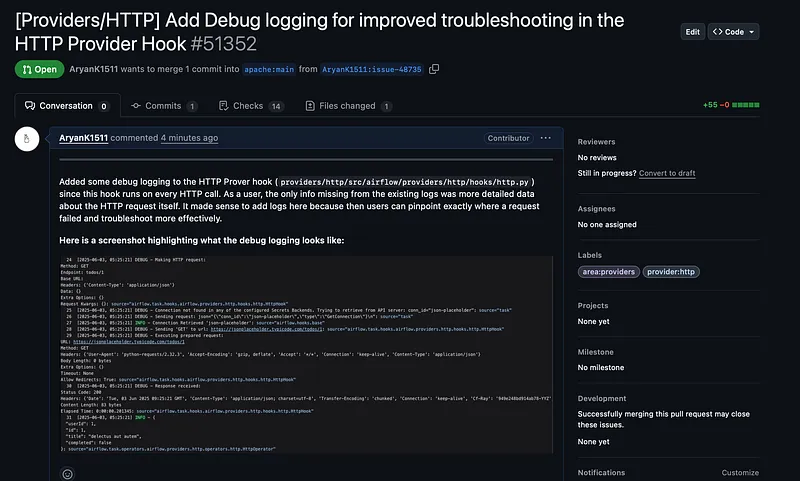
So I got to work and started implementing the changes. After some trial and error, I decided to add debug logs only to the file which was the hook since it runs on every HTTP call. As a user, the only info missing from the existing logs was more detailed data about the HTTP request itself. It made sense to add logs here because then users can pinpoint exactly where a request failed and troubleshoot more effectively.
I made those changes, then double-checked to make sure they align with Apache Airflow’s code standards. To be safe, I ran the pre-commit hook locally on just that file. I’m really glad I did that because it caught a formatting bug that would have caused the CI to fail if I’d pushed it.
Once everything passed, I raised a pull request with my changes and waited for feedback and approval. This was my first PR and the change was only a couple lines in one file 😭 but that is okay since I plan to learn this project incrementally and have fun along the way.
Here is a link to my PR: https://github.com/apache/airflow/pull/51352
Wrapping Up
Well, if you’ve made it this far, you might be wondering why the subtitle of this blog is so ambiguous. That’s because my PR never actually got merged, and the issue was eventually closed. During the office hours call I mentioned in my last blog, we came to the conclusion that a super simple provider like the HTTP provider already had sufficient logging in place and didn’t need additional logs.
It was a bit disappointing, since by the end of Week 03, I had zero closed issues and zero merged PRs. But that’s just how open source goes sometimes , not every effort leads to a merge. The only thing I can do is move on, pick up another issue, and get back to work.