Introduction
In my last blog, I mentioned I was hunting for bigger challenges in Apache Airflow, ideally wrapping up my term with acomplex issue. Well, mission accomplished, because I landed one that’s both fun and massive. It’s a mix of backend API changes and frontend UI updates, and it’s going to be my main focus for the next few weeks.
Restoring Legacy Filters in Airflow’s New UI
Here’s the background:
Apache Airflow’s frontend used to be built on Flask AppBuilder, but has now moved to a more modern ReactJS UI. While this upgrade is awesome, it came with a tradeoff, the new UI lost a few handy filters from the old DAGs (Directed Acyclic Graphs) view. The Airflow team wants to bring these filters back.
The API powering these filters also shifted, moving from Flask routes to FastAPI. Some of the routes required for these filters don’t exist yet. So, before we can build the filters in the UI, we first have to implement all the backend pieces!
If you want the full details, check out the main issue on GitHub:
Restore legacy filters in the new DAGs view
My Plan of Action
This project is essentially split into two main parts:
- API work: Add all the required endpoints and filtering logic in the FastAPI backend.
- UI work: Once the backend is ready, wire up the new filters in the React frontend.
To keep things manageable, I broke the main task into several sub-issues, each focused on a specific filter. Here are the sub issues that I have opened so far:
- Add
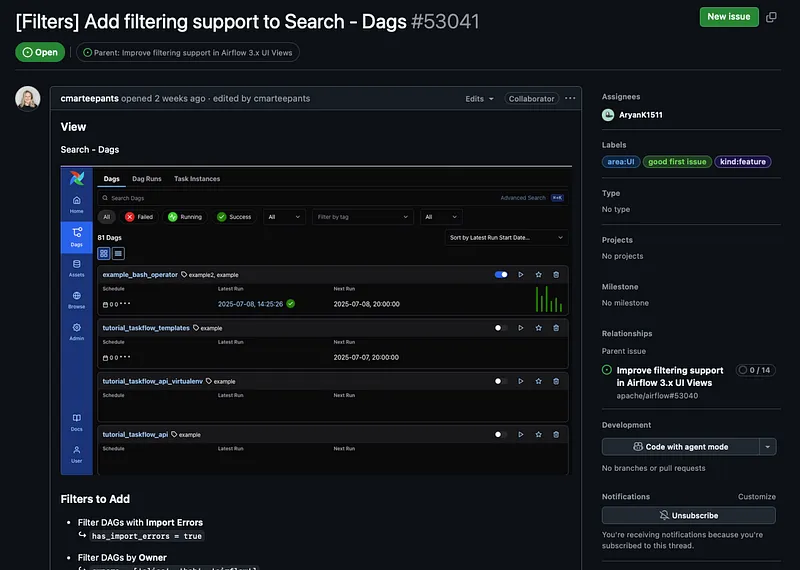
**has_import_errors**filter to Core API**GET /dags**endpoint:
Issue #53536 - Add API support for filtering DAGs by timetable type:
Issue #53738 - Add API support for filtering DAGs by bundle name and version:
Issue #53739 - Enhance API support for filtering DAGs with asset-based schedules:
Issue #53740 - Add API support for filtering unscheduled DAGs:
Issue #53741
The idea is to finish the API work for all these sub-issues first, then update the UI in one full swoop, since adding the frontend filters will mostly just be a matter of calling these new API endpoints.
The first sub-issue did not go too well
I dove in with the first issue, adding a has_import_errors filter. Seemed straightforward, but it wasn’t.
Here’s what I discovered:
- The
dagstable in the Airflow database has anhas_import_errorsfield. - But if a DAG fails to import (e.g., a Python error in the DAG file), it doesn’t get added to the
dagstable at all. - Instead, failed DAGs are tracked in a completely separate table called
import_error. - In the Airflow UI, these broken DAGs show up in a separate “Import Errors” section, not mixed in with valid DAGs.
Quick code snippet to show what I mean:
from airflow import DAG
from datetime import datetime
# This line will break the import!
this_will_throw_an_error
default_args = {‘start_date’: datetime(2023, 1, 1)}
dag = DAG(
‘broken_dag’,
default_args=default_args,
schedule_interval=None,
)
If you try to add a broken DAG like this, it does not appear in the dags table. But you’ll see it in the UI’s Import Errors section, thanks to the import_error table.
I flagged this to the maintainers, since it means there’s no way to filter for has_import_errors in the dags table, the broken DAGs just aren’t there!
Here’s what I asked:
Given this setup, it seems like adding an API/UI filter on
*has_import_errors*wouldn’t actually be useful, since the broken DAGs aren’t in the*dags*table to be filtered in the first place, they’re already shown separately in the UI.
Should we still go ahead with this filter, or just close the issue as “not planned”? Happy to move on to the other filters in the meantime!
The response:
“Yeah, maybe just disregard that field for now and focus on other filters.
It’s weird , I wasn’t able to identify where that DAG attribute was set. I’ll need to do more digging.”
So that settles it, this filter isn’t worth implementing right now. (If you’re curious, this is a pretty common scenario in open-source: you plan for something, dig in, and sometimes realize the original plan doesn’t make sense)
What’s Next
With that detour out of the way, I’m shifting focus to the other API filters I opened.
My goal:
- Week 10: Make serious progress on implementing these API routes.
- Week 11: Continue API work and maybe start wiring up the UI.
- Week 12: Finish the UI, tie everything together, and (hopefully!) have an awesome end-of-term demo to show off.
Stay tuned for updates, I’ll share more details as I chip away at these features.